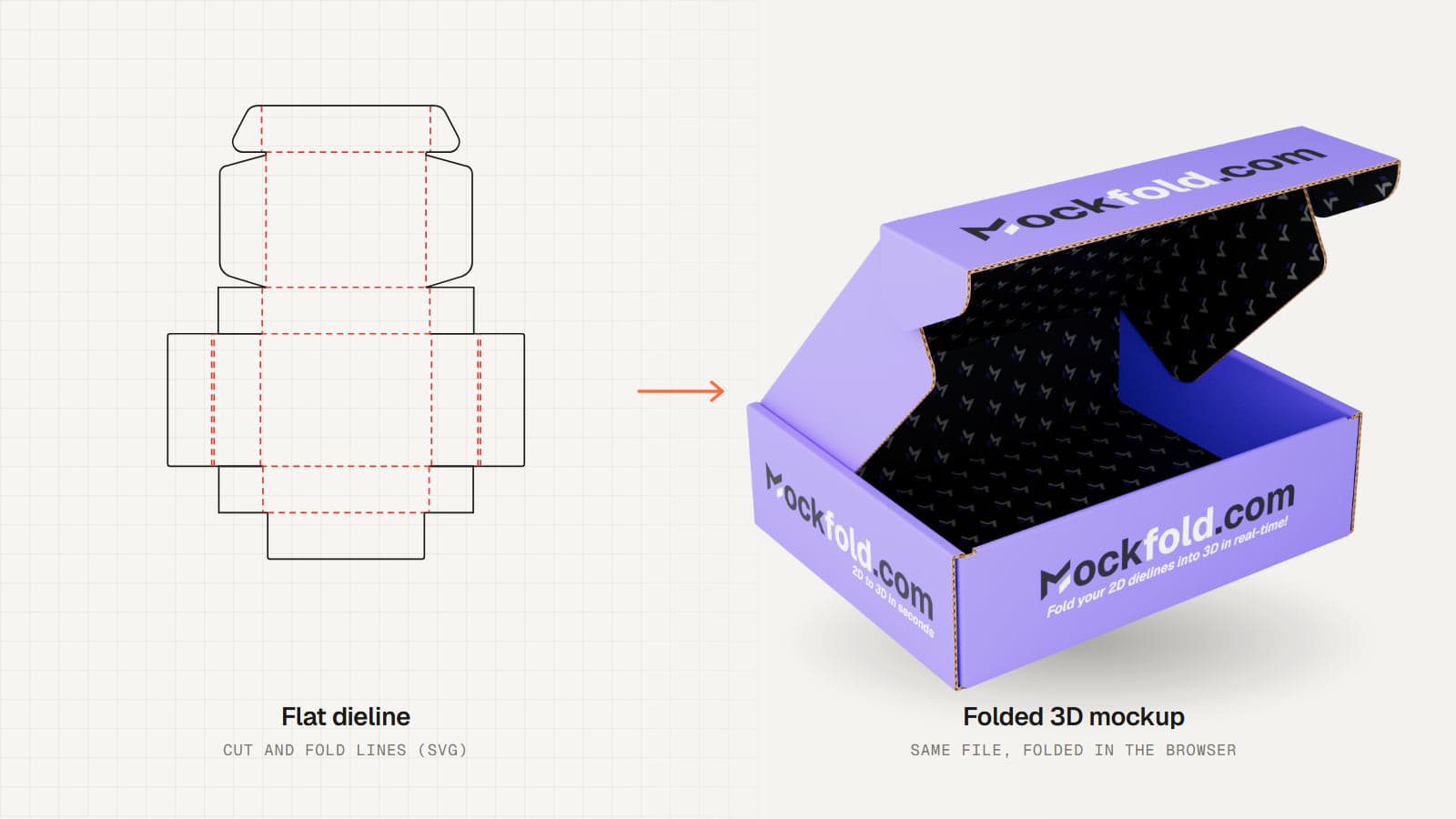
From flat dieline to folded box
A flat dieline can be difficult to explain to someone who is not used to packaging production. MockFold gives you a way to show where the panels go, how the box closes and where the artwork ends up once it is assembled.
The Box editor is designed for people who already have an SVG dieline. It does not generate a box template for you. Instead, it reads your cut and fold lines and uses them to build a 3D preview. That makes it useful for carton concepts, corrugated mailers and other foldable packaging structures that follow the supported dieline rules.
How to make a box mockup
- Upload an SVG dieline. Start with your own file or explore the included demo mailer.
- Check the cut and fold lines. MockFold looks for dark solid cut lines and dashed fold lines. If a crease is not recognized, use the built-in SVG editor to review it.
- Choose the bottom panel and fold the box. Select creases, set their angles and see the panels move in 3D.
- Add your artwork. Upload separate outside and inside artwork images, prepared to match your SVG artboard.
- Choose a material and frame your view. Preview corrugated board, paperboard or kraft, then choose the angle you want to show.
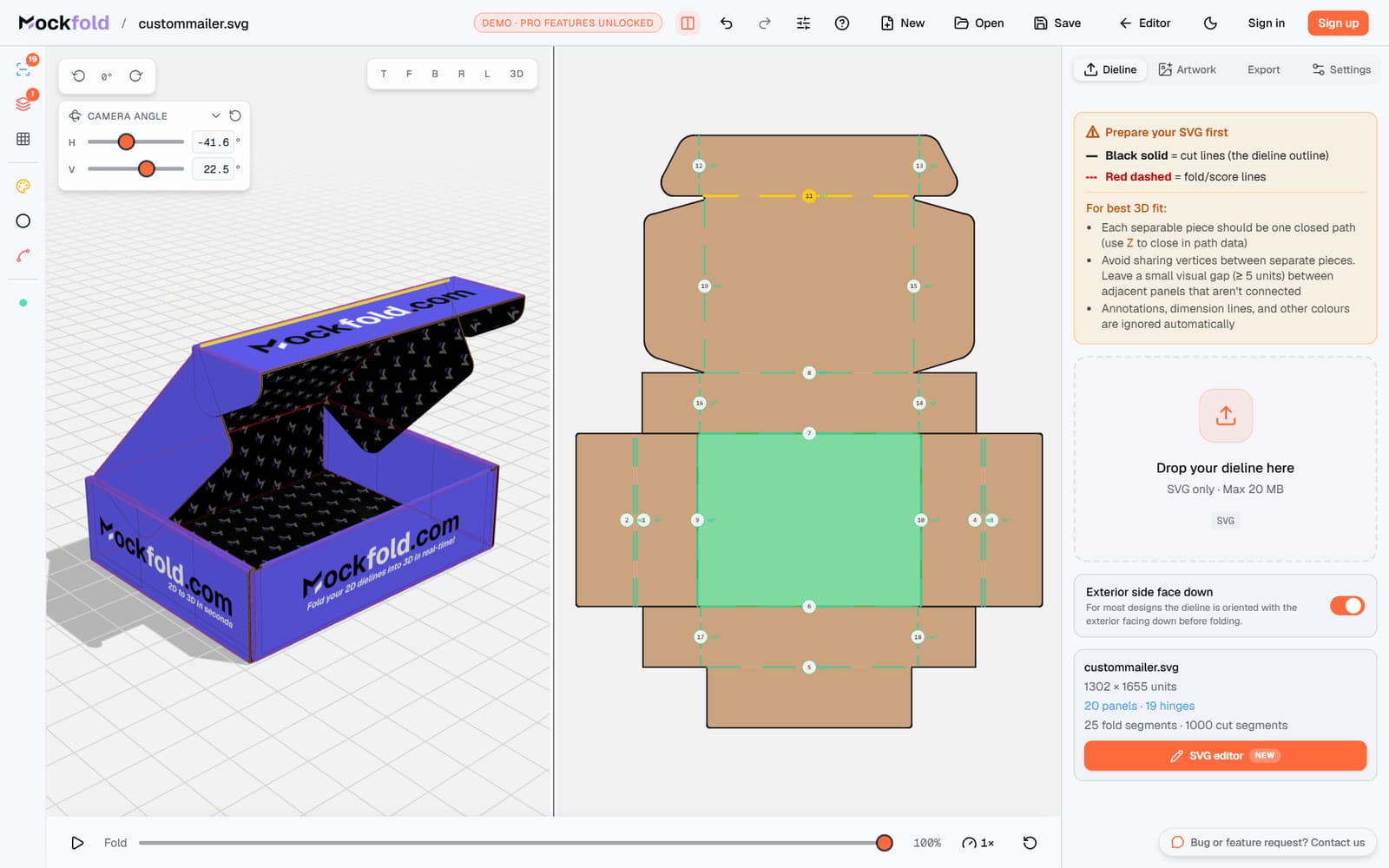
Check how your packaging comes together
Fold and inspect individual panels
Choose a bottom panel to anchor the design, then adjust the angle of each fold. You can switch between flat and 3D views or put them side by side. Show or hide the cut lines, fold lines and grid to focus on the part you are reviewing.
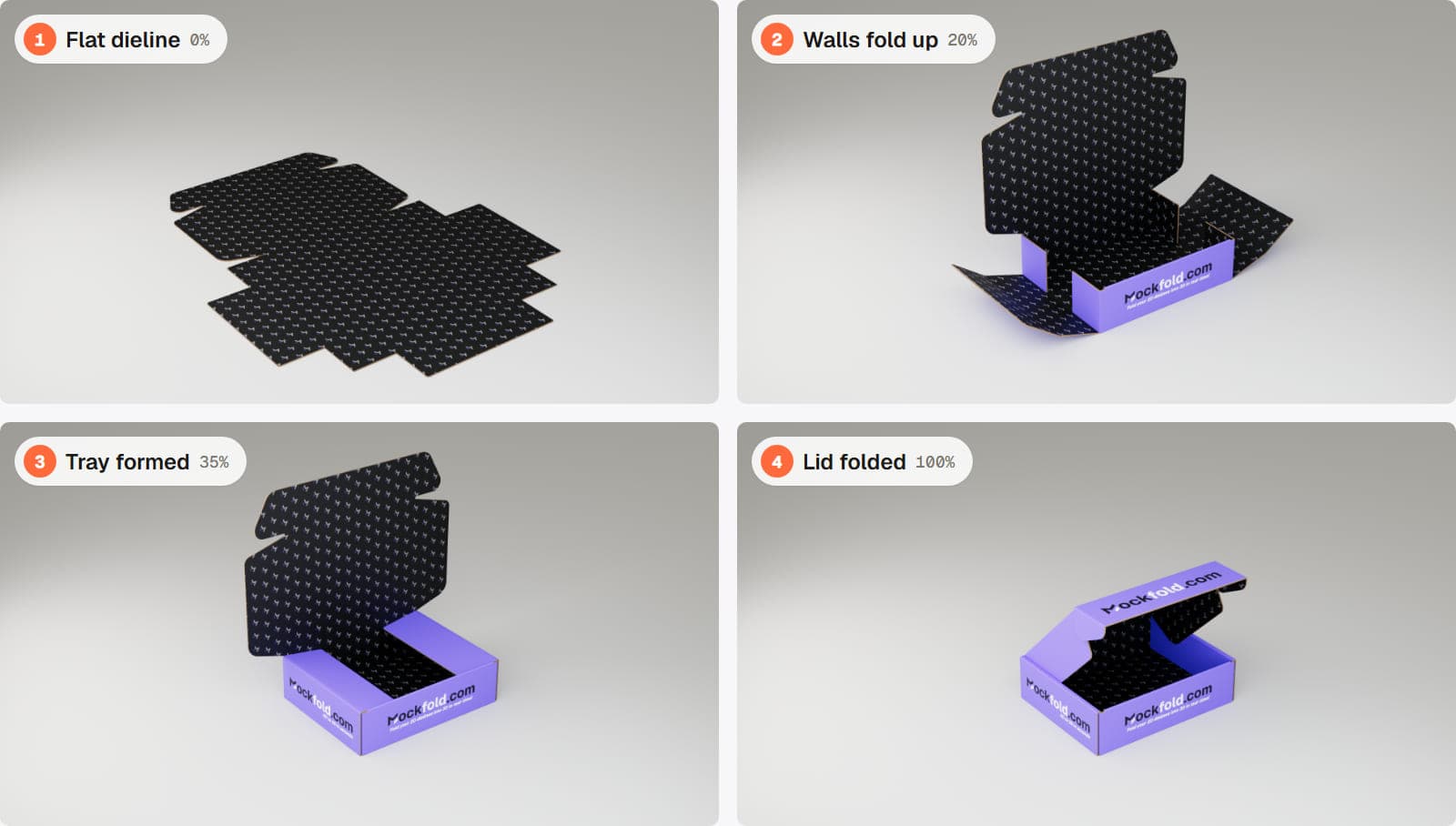
Animate the folding process
Create multiple Folding Keyframes to show the box assembling step by step. Play the sequence, adjust the timing and export the fold animation as MP4 or WebM with Pro. This is useful when you need to explain a structure to a client or show how a package opens and closes.
Compare board materials
Switch between corrugated, paperboard and kraft. Adjust board thickness and, for corrugated packaging, the flute settings. These controls help you visualize the construction without producing a physical sample first.
Work with difficult SVG files
If a dieline is not folding correctly, the built-in SVG editor lets you tag lines as Cut, Fold or Ignore, join broken segments and download a corrected SVG. You can use this feature without a paid subscription.
Export your box mockup
Starter includes PNG and JPEG image exports for your own work, up to 1080p. Pro adds higher-resolution images, multiple viewing angles, MP4 and WebM folding videos, GLB and glTF 3D files, OBJ files and an interactive HTML viewer. The 3D model exports are static snapshots, and OBJ files do not include textures.
Pro also includes Render Studio for realistic still images with adjustable studio lighting, shadows and depth of field. You can test Render Studio on the included demo project for free.
Who uses a 3D box mockup generator?
- Packaging designers checking how artwork falls across panels and folds.
- Structural designers presenting an SVG dieline in an easier-to-understand format.
- Brand designers preparing carton concepts for client approval.
- Teams reviewing mailers or display packaging before making a sample.
Good to know before you start
The Box editor accepts SVG dielines, not PDF, AI, EPS or DXF files. If your dieline is in Illustrator or another design program, export an SVG first. Use dark solid lines for cuts and dashed lines for folds. For best artwork alignment, prepare your images to match the dieline artboard. MockFold does not include a library of ready-made box dielines.
Frequently asked questions
Can I turn a PDF dieline into a 3D box?
The Box editor reads SVG dielines. Export your PDF or design file as SVG before uploading it.
Does MockFold automatically detect fold lines?
Yes. It identifies supported cut and fold lines from the SVG's line styles and names. You can correct or retag lines in the built-in SVG editor when needed.
Can I add artwork inside the box?
Yes. The Box editor has separate artwork slots for the outside and inside.
Can I animate the box folding?
Yes. Build a sequence with Folding Keyframes. Exporting MP4 or WebM video from your own design requires Pro.
Can I download a 3D model?
Pro supports GLB, glTF and OBJ exports. These are static snapshots of the folded model, not animated files. OBJ does not include textures.
Can I try it without paying?
Yes. You can explore the editor and preview your own SVG for free. The included demo project also lets you try paid export features. Exporting your own work requires a paid plan.
See your box before you make it
Upload your SVG dieline, test the fold and build a 3D box mockup in your browser.