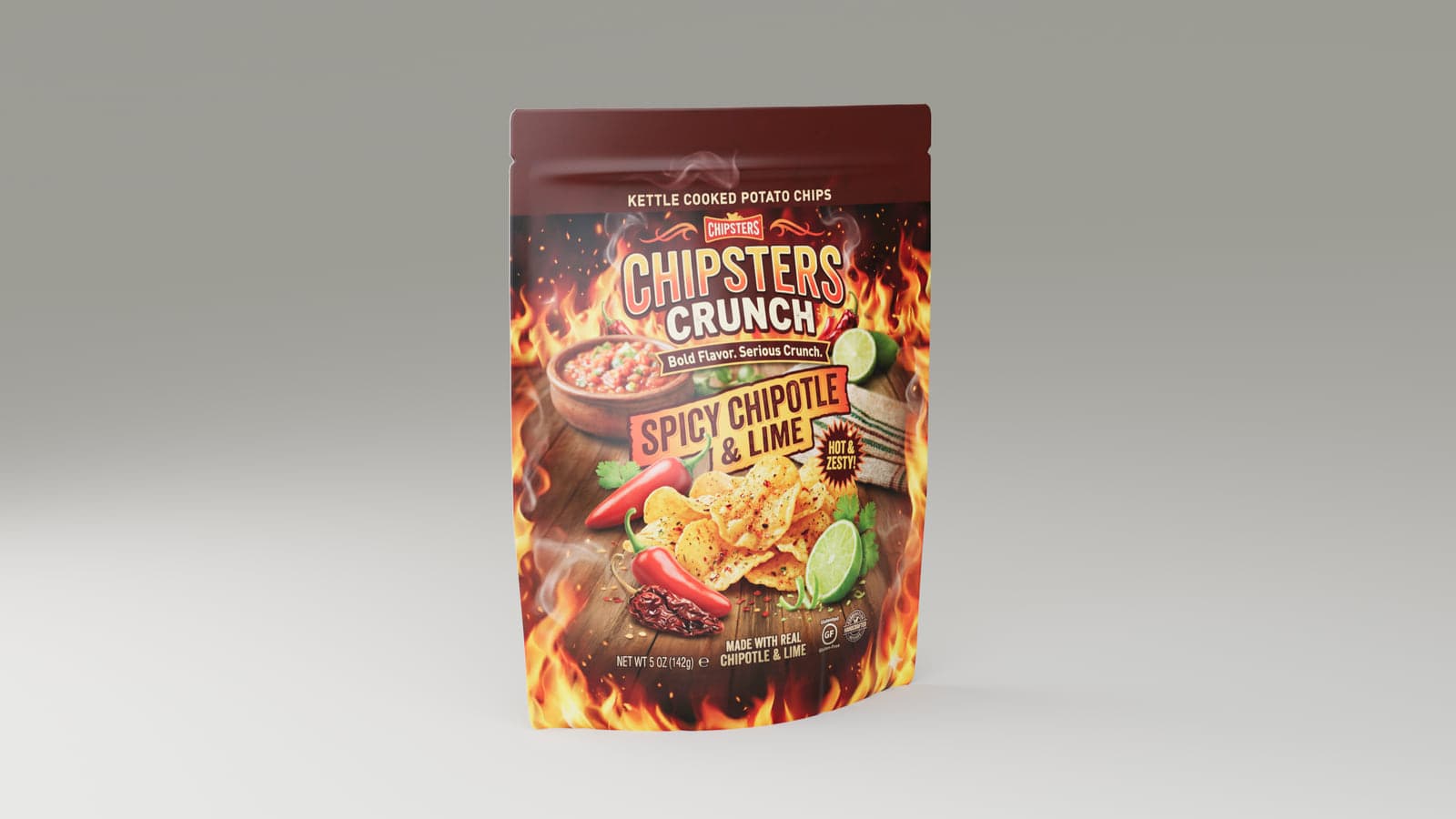
A pouch mockup that looks like flexible packaging
Flexible packaging has its own details. The bag can puff out, wrinkle, fold at the gussets or use crimped seals. A flat design does not show all of that. With MockFold, you can preview those features while checking how your artwork appears on the finished bag.
This editor is useful for snack packaging, powder products, pet treats and other flexible bags. It starts with built-in shapes rather than uploaded pouch dielines.
Choose the pouch type that fits your product
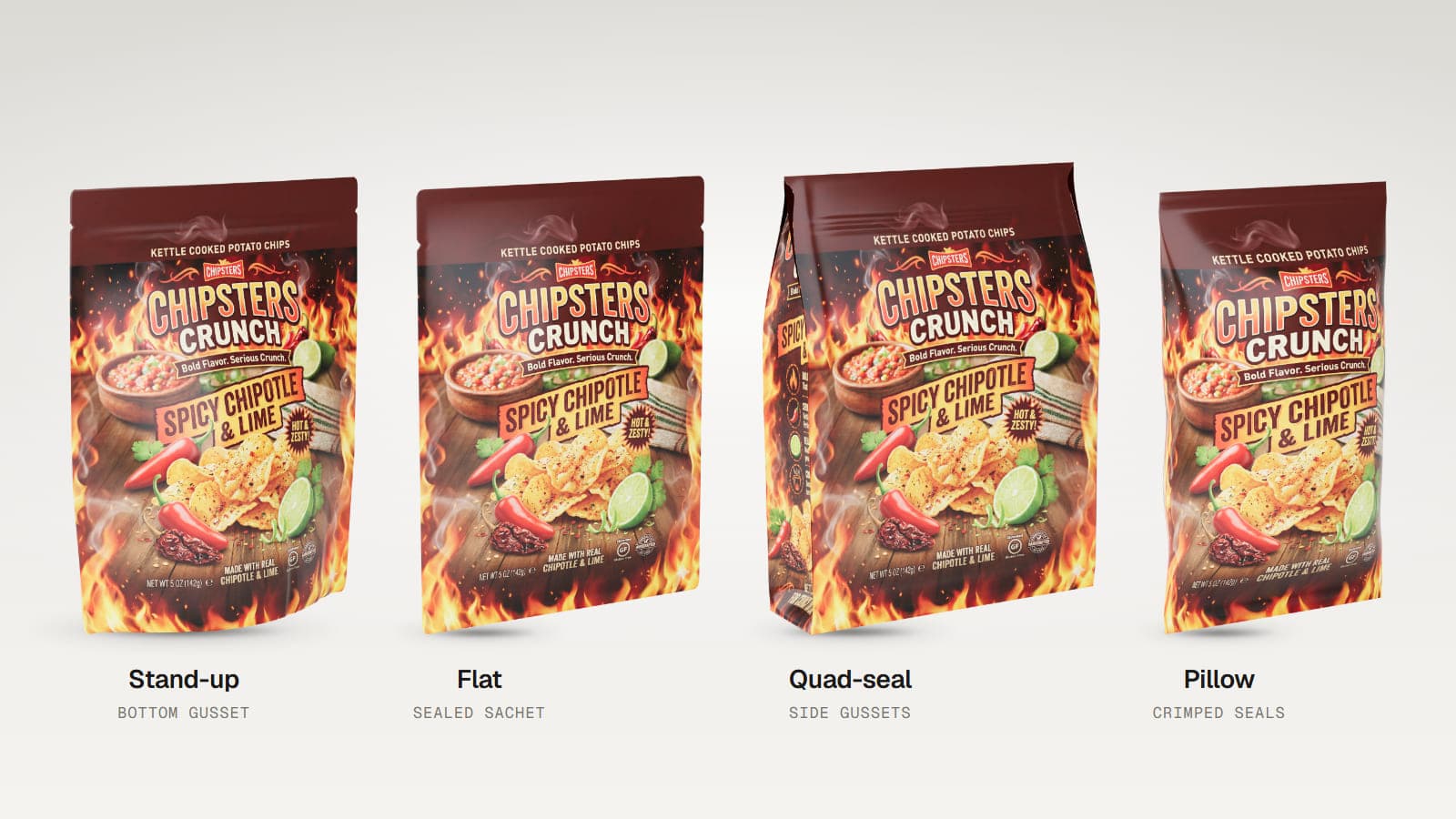
Stand-up pouch
A pouch with a bottom gusset that lets it stand upright. Adjust the fill, base depth, creases, edge rounding and supported tear notches.
Flat pouch
A flatter, sealed bag suitable for sachet-style packaging. Adjust the corners, seal width, zipper and tear notches.
Quad-seal bag
A boxier flexible bag with side gussets. Upload artwork for the front, back and both side gussets, then change the bag depth, taper and seals.
Pillow bag
A familiar snack or chip bag with crimped top and bottom seals. Adjust its fullness, crimping and optional back fin seam.
How to create your pouch mockup
- Choose a bag type. Pick Stand-up, Flat, Quad-seal or Pillow.
- Add your artwork. Upload the front and back designs. Quad-seal bags also support side gusset images.
- Adjust the shape. Change how full the bag looks, plus the controls available for that bag type.
- Choose a surface finish. Compare gloss or matte and adjust the amount of wrinkling.
- Set your lighting and angle. Preview the bag in 3D, then export when you are ready.
Show a window and the contents behind it
On supported pouch types, you can upload a black and white mask that defines a clear window in the front. Then choose a see-through look, a protein powder or walnut contents preset, or upload a contents image. This helps you show how a product window might look with your label design.
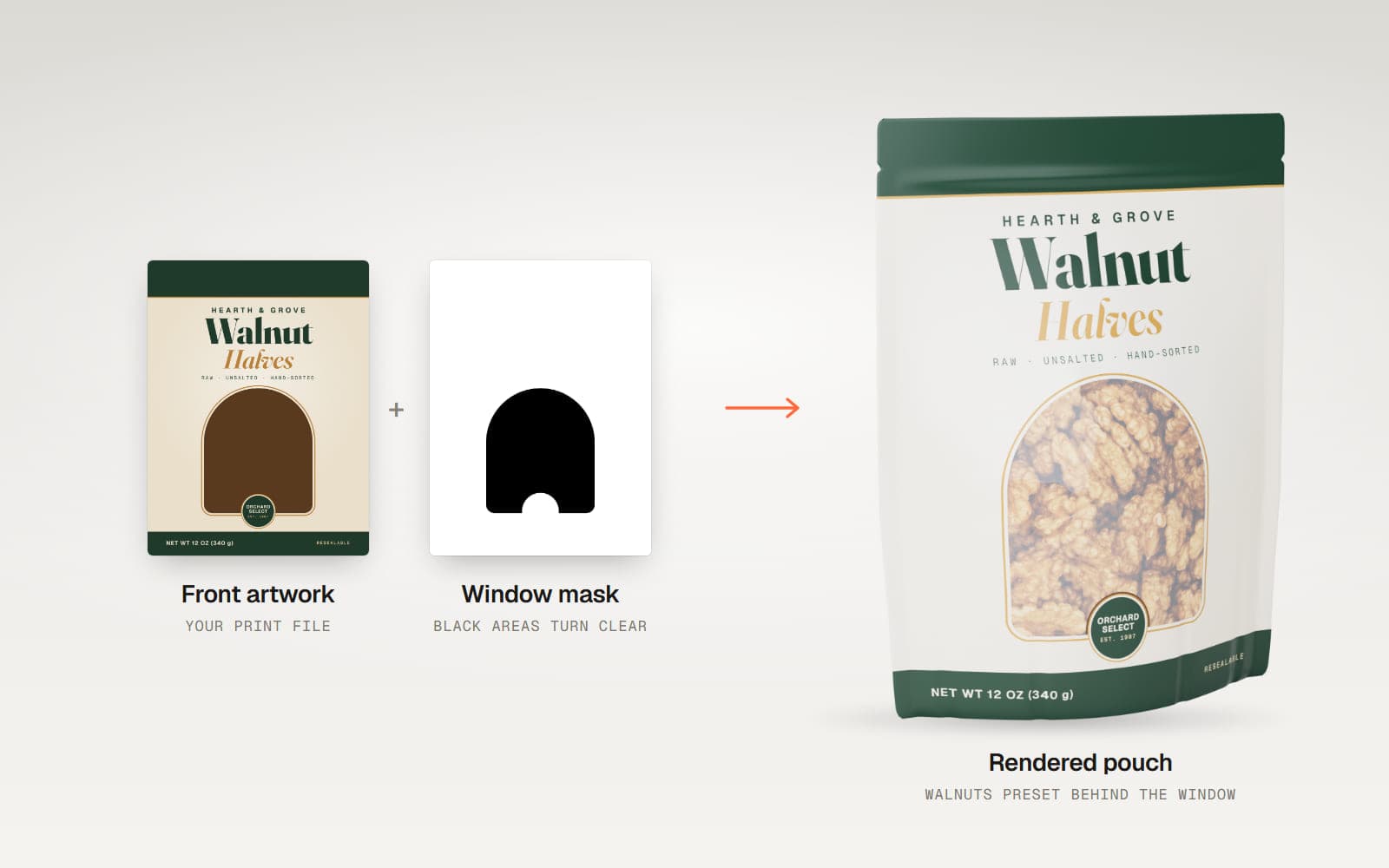
Window controls are not available on the Pillow bag. The actual artwork wraps across the seals as well as the main faces, so take that into account when preparing your images.
Compare finishes, colours and lighting
Choose gloss or matte, adjust the wrinkles and select a silver, white, black or kraft base colour for unprinted areas. The editor includes ten lighting presets with adjustable angles and brightness. You can also spin the bag to inspect the back and sides.
Export your pouch design
Starter supports PNG and JPEG export and saved project files. Pro adds higher-resolution images, multi-angle export, MP4 and WebM spin videos, GLB and glTF, OBJ, an interactive HTML viewer and Render Studio. You can test all these features on the included demo project.
Who uses pouch mockups?
- Snack and food brands comparing stand-up and pillow packaging.
- Supplement brands showing powder pouches and windows.
- Pet food designers presenting flexible packaging.
- Agencies checking front, back and side artwork with clients.
Good to know
The Pouch editor works with built-in bag shapes, not uploaded dielines. Bag dimensions follow the artwork proportions rather than exact measurements in inches or millimeters. The editor does not include a coffee valve, hang hole, spout, metallic foil or holographic finish. Different bag types have different available controls.
Frequently asked questions
Can I upload both sides of my pouch design?
Yes. Every bag type supports front and back artwork.
Does MockFold have a stand-up pouch mockup?
Yes. Stand-up is one of four built-in bag types.
Can I make a clear window in a pouch?
Yes, on supported types. Upload a black and white mask to define the clear area and choose what appears behind it.
Can I create a chip bag mockup?
Yes. The Pillow bag type has crimped seals and adjustable fullness.
Can I use a custom pouch dieline?
No. The Pouch editor uses four built-in bag shapes with their own adjustment controls.
Can I export an animation?
Pro supports MP4 and WebM turntable video from the Pouch editor.
Can I try the pouch editor free?
Yes. Editing and previewing are free. The demo project also allows you to test exports, while exporting your own artwork requires a paid plan.
See your pouch design in 3D
Upload artwork and explore the bag shape, finish and lighting before committing to production.