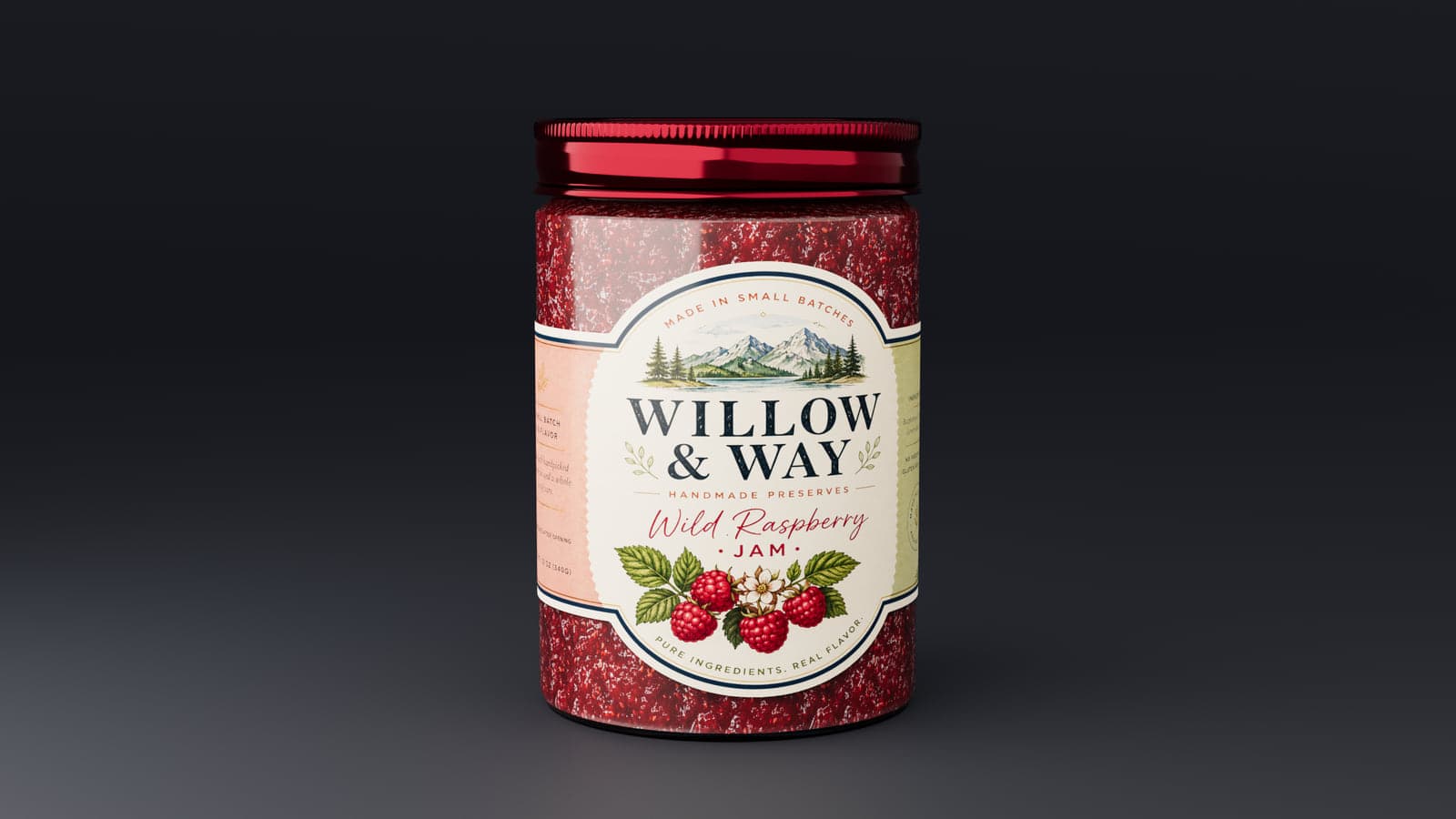
See your label on glass, not just a flat image
Glass packaging is different from a cardboard box or opaque tub. You can see the product inside, the label backing can show through the jar, and the colour of the contents changes the overall look. The Jar mockup gives you controls for those details without requiring a separate 3D application.
Pick a jar size and lid
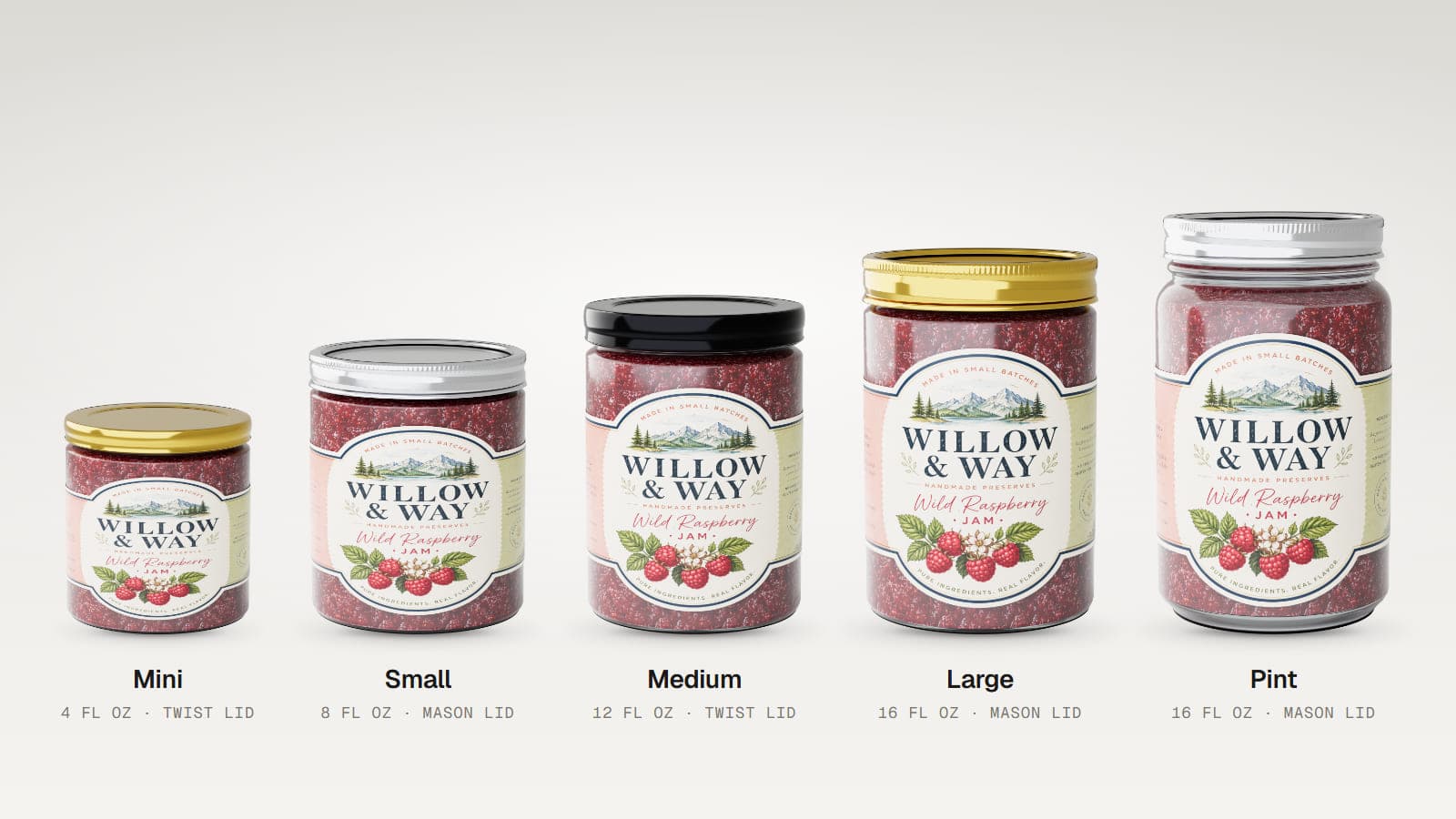
The editor includes five sizes: Mini (4 fl oz), Small (8 fl oz), Medium (12 fl oz), Large (16 fl oz) and a taller Mason-style Pint (16 fl oz). Each size has its own built-in shape.
Choose a one-piece Twist lid or a two-piece Mason lid. Adjust its gold, silver, black or custom colour and move the finish between matte and glossy.
How to make your jar mockup
- Select a size. Start with the jar closest to your intended packaging.
- Upload your label. Add PNG or JPEG artwork.
- Fit the label. Change its wrap, scale and vertical position.
- Choose the contents. Pick a preset or a custom colour.
- Adjust the glass and lid. Set clarity, tint, lid style and finish, then choose your image angle.
Show what is inside the jar
Try jam, honey, peanut butter, mayo, pickles, olives or salsa. You can also leave the jar empty or choose a custom contents colour. This helps food brands assess whether a label has enough contrast against the product behind it.
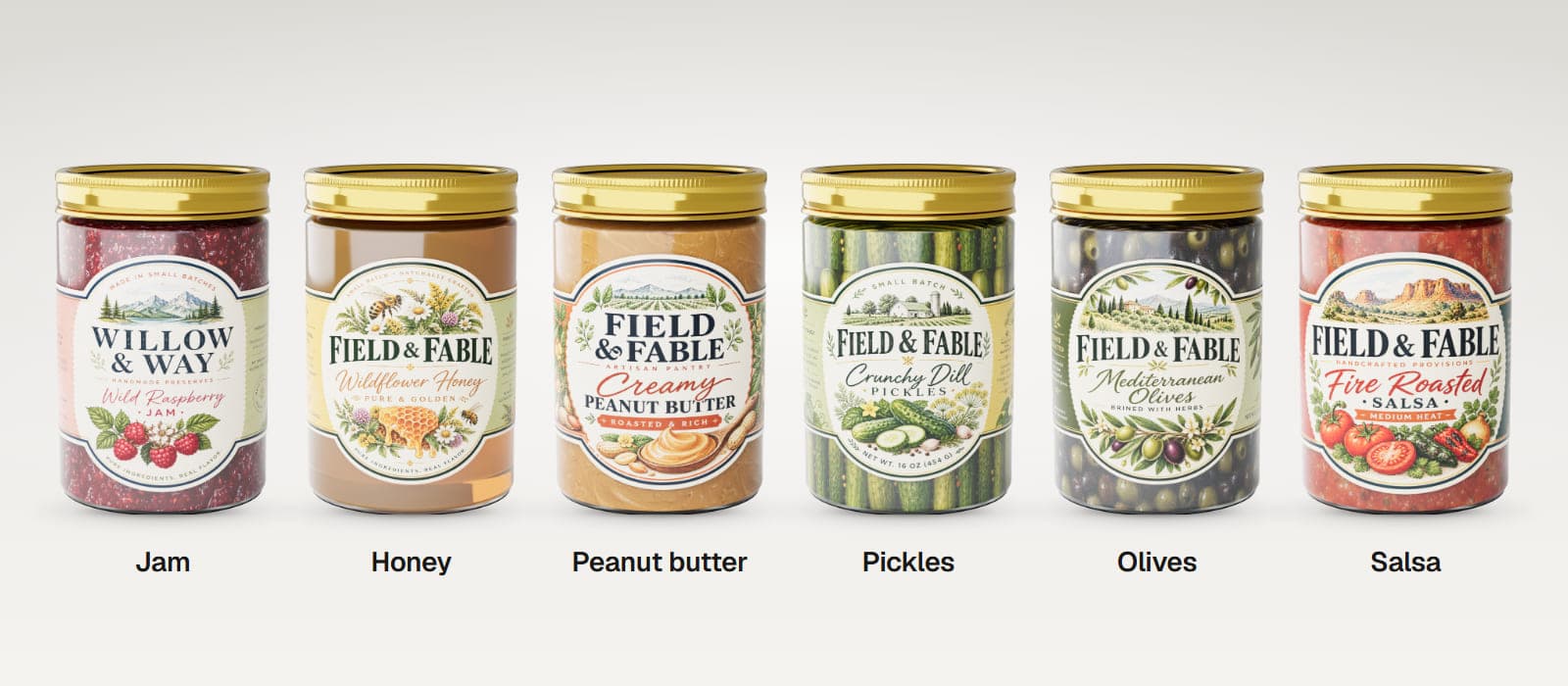
The fill amount follows each built-in preset, so you cannot change the fill level independently.
Fine-tune the label and glass
Adjust how far the label wraps around the jar, its size and how high or low it sits. You can set a separate label backing colour for the side visible through the glass. If your PNG artwork has transparent areas, those areas can reveal the glass.
Use the glass Tint and Clarity controls to compare clearer and frosted looks. These settings also carry into Render Studio, where the glass and see-through contents can be rendered with light transmission.
Export a jar product image
Starter supports PNG and JPEG image export and saved projects. Pro includes higher-resolution images, multi-angle export and Render Studio. You can try these tools on the included demo jar for free.
The Jar mockup does not export videos or downloadable 3D models.
Who uses glass jar mockups?
- Honey producers checking labels against golden contents.
- Jam and preserves makers preparing market or online listings.
- Food brands comparing jar sizes and lid colours.
- Packaging designers presenting clear or die-cut label concepts.
Good to know
MockFold's Jar mockup is designed for glass food jars. It does not include candle wax, cosmetic jar shapes, quart or half-gallon sizes, hexagonal jars or adjustable fill levels. You can move a label up and down and change its scale, but there is no label rotation control.
Frequently asked questions
Can I create a Mason jar mockup?
Yes. Choose the Mason lid and try the tall Pint jar preset.
Can I show honey or jam inside?
Yes. Honey and jam are among the built-in contents options.
Can I make a transparent label?
Yes. Transparent areas in a PNG can reveal the jar glass beneath them.
Can I change the colour of the lid?
Yes. Choose gold, silver, black or a custom colour.
Can I change the fill level?
No. The contents presets have fixed fill levels.
Can I export a 3D jar model?
No. The Jar mockup exports still images, including images from Render Studio.
Can I try it for free?
Yes. The editor and included demo are free to explore. Exporting your own label artwork requires a paid plan.
See your food label on a glass jar
Choose a jar, add your artwork and explore how the label works with the glass and contents.